Choosing among the 2026 best solar cameras starts with one practical question: Do Solar Cameras Need Wifi? The short answer is no, but the better answer depends on how the camera sends alerts, stores footage, and survives weak signal areas.
The International Energy Agency reported that solar power added about 407 gigawatts globally in 2023. That growth makes solar-powered security more accessible, but a solar panel does not create an internet connection. It only supplies energy. A camera may use Wi-Fi, a 4G or 5G SIM card, local microSD storage, or a proprietary hub. Some models can record without internet, yet remote viewing and instant phone alerts usually require connectivity. That distinction is easy to miss.
In a quiet garden, a Wi-Fi camera may work well beside a stable router. Across a driveway or rural gate, its signal can weaken through brick walls and wet foliage. Cellular models offer greater placement freedom, but they require coverage and a data plan. Cloud storage can also introduce recurring costs. Small details matter.
NIST’s IoT cybersecurity guidance, including NISTIR 8259, emphasizes secure updates, device identity, and strong authentication. Those points should influence buying decisions, not just image resolution. A bright 2K picture means little if the camera disconnects overnight.
This guide compares power performance, connectivity, storage, weather resistance, and privacy practices. The answer is not perfectly simple. Real installations often expose the limits that product pages hide.
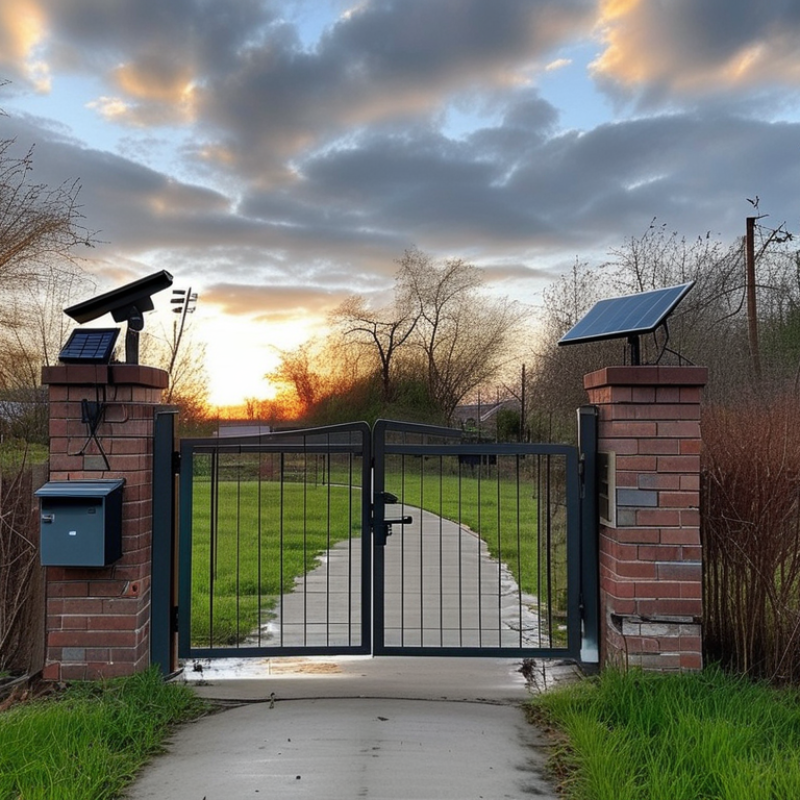
Solar cameras combine a small image sensor, rechargeable battery, solar panel, and control circuit in one outdoor security device. The panel converts sunlight into electricity, even on cloudy days, although charging becomes slower. During daylight, surplus energy usually charges the battery. At night, the battery powers recording, infrared lighting, and motion detection.
A motion sensor helps the camera conserve energy. It may remain in a low-power standby mode, then wake when movement appears near a gate or driveway. The camera captures video and stores it on a memory card or sends it to remote storage. In practical installations, panel placement matters greatly. Shade from a roof edge can reduce charging more than expected.
Solar cameras do not always need WiFi. A model with local storage can record without an internet connection, but remote viewing usually requires WiFi or a mobile data network. WiFi also supports alerts, software updates, and two-way communication. Thick walls, weak signals, and crowded networks can interrupt service. Solar power is not magic. A poorly angled panel, several rainy days, or frequent false alarms may drain the battery. I have found that reducing unnecessary motion triggers often improves reliability more than adding complicated settings.
A solar camera does not automatically need Wi-Fi. It needs a network for remote video monitoring, alerts, cloud storage, or live viewing. With local microSD storage, it can record beside a shed or gate without internet. Some models use cellular data instead. That option requires coverage, a data plan, and careful energy budgeting.
The International Telecommunication Union’s Facts and Figures 2024 reports that 5.5 billion people were online, while 2.6 billion remained offline. Connectivity is widespread, but not universal. In practical installations, Wi-Fi works well near a stable router. Thick walls, metal siding, and crowded channels can cause delayed clips or missed notifications. Video consumes more data than still images. A 1080p stream may use roughly 1–4 Mbps, depending on compression and movement. That estimate varies.
Battery design matters when night footage uploads continuously. The International Energy Agency’s Renewables 2024 report confirms rapid solar expansion, yet sunlight remains variable by season and location. A small panel cannot guarantee streaming during several cloudy days. I would test signal strength at the mounting point, not indoors. I would also check upload frequency, infrared use, and storage limits. One easy mistake is treating a solar camera as maintenance-free. It is not. For safer monitoring, encrypt connections, change default credentials, and update firmware. Real-world setup is often less tidy.
| Solar Camera Configuration | Does the Camera Need WiFi? | Internet Connection Used | Live Video Monitoring | Recording Storage | Best Use Case |
|---|---|---|---|---|---|
| WiFi solar camera | Yes, for remote access and cloud features | 2.4 GHz or dual-band WiFi connected to an internet router | Available when the camera and viewing device have internet access | microSD card, cloud storage, or both, depending on the model | Homes, offices, garages, and locations within reliable WiFi range |
| 4G LTE solar camera | No, WiFi is not required | Mobile broadband through a compatible SIM card and cellular network | Available remotely where supported cellular coverage is strong enough | microSD card, cloud service, or both; cellular data charges may apply | Farms, construction sites, driveways, and areas without fixed internet |
| Local-storage solar camera | No, if used only for local recording | None for recording; a local WiFi connection may still be needed for setup or playback | Usually unavailable from outside the site without an internet connection | Local microSD card or internal memory | Basic motion recording where privacy and low operating cost are priorities |
| Hybrid WiFi and cellular solar camera | Not always; WiFi may be the primary or backup connection | WiFi, 4G LTE, or automatic switching between supported networks | Generally available when at least one active connection is working | Local card storage plus optional cloud recording | Remote property monitoring where connection reliability is important |
| Short-range wireless solar camera | Not necessarily; it may use a dedicated hub or bridge | Low-power radio link to a hub, with the hub optionally connected to WiFi or Ethernet | Depends on whether the hub has an active internet connection | Hub storage, local card storage, or cloud storage | Multiple cameras around a property where one central hub is practical |
Solar cameras store security footage in two main ways: locally or online. Many models use a microSD card or internal memory to save motion-triggered clips. This method works without WiFi, which helps in gardens, gates, and remote sheds. However, storage capacity is limited. A busy driveway can fill a card within days, especially when the camera records high-resolution video.
WiFi is needed when footage must reach a phone or cloud server. The camera sends short clips through the home network after detecting movement. Some systems upload continuously, but that requires stronger bandwidth and more battery power. Others use cellular connections for locations without broadband service. In either case, encrypted transmission and account protection matter. A weak password can undermine otherwise careful equipment.
Solar power does not guarantee uninterrupted recording. Several cloudy days may reduce battery reserves. A practical setup should record during low-power periods and upload footage when energy returns. Check timestamps, night clarity, and recovery after network loss. These details often matter more than headline resolution. Local storage is more private, yet a damaged camera may also damage the evidence. Cloud storage adds access and backup, but may involve subscription fees and delayed uploads. No setup is flawless. Test it before relying on it.
The best solar cameras in 2026 are defined by more than a large panel. They need balanced power management, clear imaging, and dependable connectivity. The IEA Renewables 2024 report expects solar PV to provide about 80% of new renewable capacity through 2030. That growth raises expectations for efficient outdoor devices. A good camera should keep recording after several cloudy days. Its battery needs overcharge protection, low-temperature performance, and a realistic standby rating.
WiFi is useful, but it is not always essential. Cameras with 4G or 5G connectivity can work across gardens, farms, and remote gates. Ericsson’s November 2024 Mobility Report forecast 2.3 billion 5G subscriptions by the end of 2024, showing why cellular options deserve attention. Still, cellular plans add recurring costs. A dual-mode model may be more practical, although switching between networks is not always seamless. Look for 2K or higher resolution, infrared night vision, local storage, person detection, and an IP65 or stronger weather rating. Strong specifications can still disappoint.
Tips: Test the camera at sunset. Check the live view after three cloudy days. Install the panel away from roof shadows, branches, and dust. Choose local recording when internet outages are common. Review encryption, account controls, and software update policies against the NIST Cybersecurity Framework 2.0. Motion sensitivity also needs adjustment; otherwise, leaves may trigger alerts all night.
Solar cameras do not inherently need Wi‑Fi. Wi‑Fi is required for cloud access and remote app viewing, while local microSD recording can work without Wi‑Fi. Cellular models use a mobile network instead.
A solar security camera does not automatically need WiFi. WiFi supports live viewing, cloud alerts, and two-way audio. Without it, many models save footage to a memory card or use cellular connectivity. Choose according to the site. A remote gate may need cellular service. A porch near your router can use WiFi. Test the signal where the camera will hang, not beside the router. Walls, metal, and wet foliage weaken coverage. Test it at night, too. Night vision increases power use.
Solar performance deserves harder questions. NREL’s widely cited degradation review found median crystalline-silicon module degradation near 0.5% annually. That does not guarantee a small camera panel will perform equally. Panel size, winter shade, battery age, and cold temperatures matter. Use the World Bank’s Global Solar Atlas to compare local solar irradiation. Face the panel toward strong midday light. Leave a small tilt adjustment. Clean dust seasonally. Mount the camera about 2.4 to 3 meters high, angle it below the horizon, and avoid sunrise glare. Check motion zones carefully; moving branches can drain batteries. I would choose local storage when privacy and outages matter, but cloud access is easier remotely. No setup is perfect. A shaded “solar” camera can become a battery camera surprisingly quickly.
: No. They can record locally on a memory card without internet. Remote viewing needs Wi-Fi or mobile data. It depends.
Its panel converts sunlight into electricity. Extra power charges the rechargeable battery during daylight. Cloudy weather slows charging. Sunlight is not guaranteed.
The battery powers recording, motion detection, and infrared lighting. Frequent alerts can drain it quickly. Night use costs energy.
Place it where sunlight reaches the panel for much of the day. A roof edge can create damaging shade. Panel angle matters more than expected. I would check the site at different hours.
The camera stays in low-power standby mode. It wakes when movement appears near a gate or driveway. Reducing false alarms can improve battery life. This simple adjustment often helps.
Clips can be saved to a memory card or uploaded online. Local storage works without Wi-Fi but has limited capacity. A busy driveway may fill the card within days. Storage limits are easy to overlook.
Some cameras use a cellular network instead of Wi-Fi. They need network coverage and a suitable data plan. Video uploads also consume more power. Coverage can be uneven.
Thick walls, metal siding, weak signals, and crowded networks may delay footage. Rainy days can reduce battery reserves. Continuous streaming increases energy use. The system is not maintenance-free.
Test signal strength at the mounting point, not indoors. Check night images, timestamps, storage space, and recovery after network loss. Change default login details and update the software. No setup is flawless.
Solar cameras combine a rechargeable battery, solar panel, camera lens, and smart monitoring system to provide security without relying on constant wired power. The panel replenishes the battery during daylight, allowing the camera to operate at night and during cloudy conditions. Do Solar Cameras Need Wifi? Not always. WiFi is useful for live viewing, mobile alerts, cloud storage, and remote control, but some models can record locally to a memory card or use a cellular connection instead. Their performance depends on sunlight, battery capacity, signal strength, and storage options.
The best solar cameras in 2026 should offer clear video, night vision, motion detection, weather resistance, two-way audio, reliable power management, and secure data handling. When choosing one, consider the monitoring area, installation height, sunlight exposure, network availability, and desired storage method. Proper positioning and regular maintenance will help maximize recording reliability and extend the camera’s service life.
Psennikow