A solar camera can provide steady outdoor monitoring without frequent battery changes, but its performance depends on careful placement. This guide explains How To Install Solar Camera equipment step by step, from choosing a suitable location to checking the live view. You will learn how to assess sunlight, confirm Wi-Fi coverage, mount the camera securely, and connect its solar panel. Small details matter.
Before drilling, inspect the area at different times of day. A shaded wall may look bright at noon but lose direct sunlight by afternoon. Check the manufacturer’s instructions for mounting limits, charging requirements, and weather protection, since designs vary. A strong Wi-Fi signal matters, too; test it at the planned camera position rather than relying on the signal near your router. Check twice.
The installation process should include pairing the camera, adjusting its viewing angle, and testing motion alerts before you finish. Keep the panel clear of leaves and avoid aiming it toward bright reflections that could affect the image. A common mistake is choosing the tidiest mounting spot instead of the spot with better sun and coverage. That is easy to overlook. If the first test shows weak charging or an unreliable connection, pause and reconsider the placement. This guide focuses on practical checks, not shortcuts, so you can make a setup that is secure, dependable, and easier to maintain.
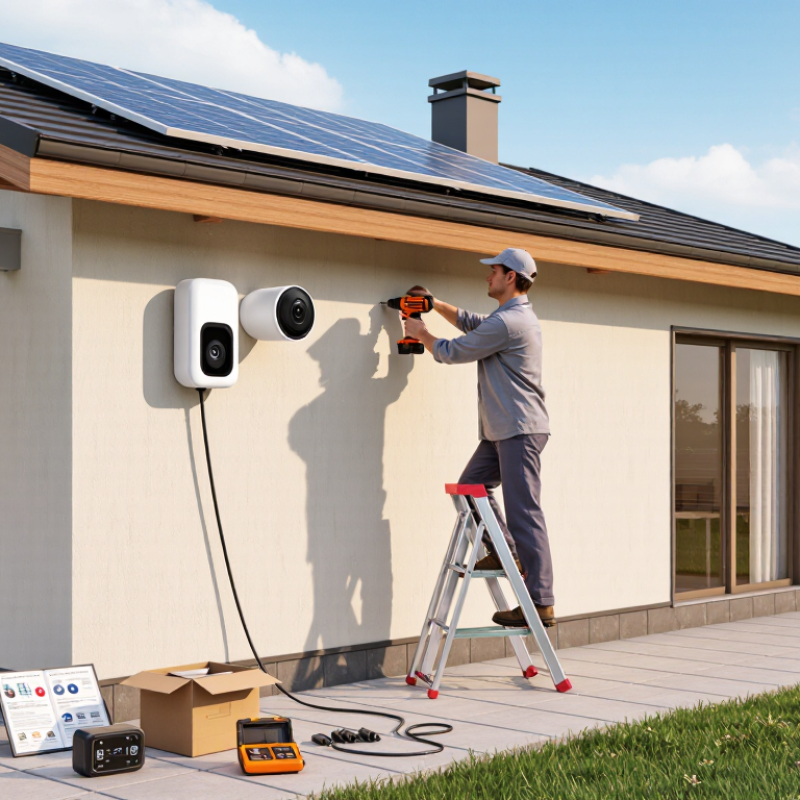
Before mounting the camera, watch the proposed spot at different times of day. A wall may seem bright at noon but sit in shade by mid-afternoon. Check it at noon. Then look again later. Small shadows matter. Trim branches only when appropriate, and avoid placing the panel beneath eaves, dense leaves, or a balcony edge. A few hours of direct sunlight can support charging better than a bright-looking place that stays shaded. Seasonal changes matter, too; the sun’s path shifts, so consider how the spot may look in winter.
Sunlight is only half the choice. Stand where the camera will go and check the view at its planned height. The lens should cover the entry, path, or area you need without aiming into a wall or catching glare from a nearby window. Keep the view clear of moving branches and frequent foot traffic. A slightly wider view may seem useful, but distant faces and details can become harder to see. Mark the position with removable tape, then review the live image before drilling. It may take a small adjustment. Secure the camera and solar panel firmly, using a stable ladder and suitable mounting points.
Before mounting, gather a drill with suitable bits, screwdriver, measuring tape, pencil, stable ladder, and outdoor-rated fasteners. Check the camera manual and confirm the solar panel and cable are compatible. Lay out every part on a dry surface. Small screws are easy to lose. Charge the camera battery if the instructions recommend it, and test the camera and Wi-Fi connection indoors. A strong signal near the router may be weak outdoors.
Choose a spot with clear sun for much of the day, away from roof edges, dense branches, and areas where rainwater collects. NREL’s PVWatts documentation uses a default 14% system-loss assumption in its estimates, including losses from shading and wiring; actual performance depends on the site. This is a modeling assumption, not a promise of your camera’s output. Check the location at different times: a sunny morning can hide afternoon shade. It is easy to favor a neat-looking spot over a practical one.
Tips: Before drilling, hold the panel in place and check its sun exposure. Wipe the surface with a clean, dry cloth, then plan a cable route that avoids sharp edges and moving parts. Keep connectors dry, and leave enough cable for adjustment. One more check helps. (Source: NREL PVWatts Version 5 documentation.)
Choose a mounting point that gives the camera a clear view of the entrance or path. A height of about 2.5 to 3 meters often balances coverage and access for maintenance. Check the live view before drilling; a wall can hide more of the scene than it appears to from the ground. Use fixings suited to the wall material, and keep the camera away from branches that may sway into the frame. A small adjustment now can save a frustrating reinstall.
Tips: Place the solar panel where it receives several hours of direct sun, not just bright shade. In the Northern Hemisphere, a south-facing position often works well; in the Southern Hemisphere, consider north-facing. Avoid eaves and tree shadows. Leave a little cable slack, but secure it so wind cannot tug on the connector.
Mount the panel at the angle recommended for your location, then check its exposure across the day. Connect the cable only after both units are firmly secured, and confirm the camera charges and holds a stable signal. It is tempting to aim the panel at the brightest spot and stop there, but seasonal shade can change the result. Watch the area for a day if possible. Then tighten the mounts and make sure the camera still captures faces, not only the tops of heads.
After mounting the solar camera, press its power button and watch for the status light or startup sound. Give it a moment to boot. Keep your phone nearby, and open the camera’s setup app or follow the instructions supplied with the device. Connect to the required Wi-Fi network; some cameras use only the 2.4 GHz band, so check the manual if setup fails. Allow camera and notification permissions when prompted, then set the correct time zone. Accurate timestamps make recorded events easier to review.
Open the live view and confirm that the image is clear before adjusting motion settings. Set detection sensitivity moderately at first, then test it by walking through the monitored area. Narrow the detection zone if passing cars or moving branches trigger alerts. Keep it simple. Enable notifications and check that recordings are saved where you expect. A quick test at dusk can reveal glare or a weak signal that was not obvious in daylight. It is tempting to raise sensitivity until every movement registers, but that can create a stream of unhelpful alerts. Adjust one setting at a time, and check the camera again after a day or two.
Estimated time for common setup tasks. Powering on and connecting to Wi-Fi usually take the most time; actual setup time varies by camera and network.
After mounting the solar camera, open its live view before tightening every screw. Walk through the area it should cover, including gates, paths, and the far edge of the yard. Check that faces and moving objects remain visible, not hidden behind a post or branch. Look at the view after dusk, too. A neat daytime angle can become a dark, unhelpful picture at night. Adjust the tilt in small steps; a wide view is not always a useful one.
Now check charging. Confirm the battery level appears in the camera settings, then place the solar panel where it receives direct sunlight for several hours. Keep the cable gently curved, not stretched across a sharp edge. Check the battery again the next day, and over several days if possible. Cloud cover can affect the result. One sunny afternoon is not a reliable test.
Finally, trigger a short recording by walking through the detection zone, then play it back. Check that the clip starts promptly, includes the full movement, and has a clear timestamp. Test alerts on your phone, and review both daytime and nighttime footage. If motion is missed, adjust the detection area or sensitivity and try again. Small changes matter. I would not assume the first setup is right; a passing car or swaying branch may reveal a problem you did not notice.
Gather a drill, suitable bits, screwdriver, measuring tape, pencil, stable ladder, and outdoor-rated fasteners. Lay the parts on a dry surface. Small screws disappear easily.
Look for several hours of direct sunlight. Check the spot in the morning and afternoon, since shadows move. A sunny morning can be misleading.
A height of about 2.5 to 3 meters often provides useful coverage and reasonable access. Check the live view before drilling. A wall can hide more than expected.
In the Northern Hemisphere, a south-facing position often works well. In the Southern Hemisphere, consider north-facing. Avoid eaves, dense branches, and areas where rainwater gathers.
Keep connectors dry and leave a little slack for adjustment. Avoid sharp edges and moving parts. Secure the cable so wind cannot pull on the connector.
Walk through the gates, paths, and far edge of the yard while viewing the live feed. Check that faces remain visible. A wide view is not always useful.
Check the battery level after positioning the panel in direct sunlight. Check again the next day and over several days. One sunny afternoon proves little.
Trigger a short recording by walking through the detection area. Play it back and check the clip, timestamp, and phone alerts. Test after dusk, too.
Adjust the camera angle, detection area, or sensitivity, then test again. A passing car or swaying branch may reveal problems. I would not trust the first setup blindly.
How To Install Solar Camera starts with choosing a spot that receives strong sunlight while providing a clear, useful view of the area you want to monitor. Before installation, gather the necessary tools and prepare the camera and solar panel according to their instructions. Check that the mounting surface is suitable and that the panel can collect sunlight without unnecessary shade.
Secure the camera in position, then angle the solar panel to receive ample daylight. Power on the camera and configure its basic settings, such as the network connection, detection preferences, and recording options. Finally, review the camera’s live view, confirm that the panel is charging the device, and test that recording works as expected. Making these checks before finishing helps ensure the system is positioned well and ready for regular use.

Psennikow