In recent years, the demand for PTZ solar cameras has surged. Industry reports indicate that solar-powered surveillance solutions have increased by over 25% annually. Many users seek guidance on "How To Install Ptz Solar Camera" effectively. Proper installation ensures optimal performance and longevity.
These cameras rely on solar energy, making them ideal for remote areas. However, the angle and position are crucial. Studies show that proper placement can enhance motion detection rates by up to 30%. Users often overlook the importance of aligning the solar panels for maximum sunlight exposure. This oversight can lead to reduced efficiency.
Understanding the installation process helps users avoid common pitfalls. Many users report issues related to connectivity and power. A thorough approach to installation can alleviate these concerns. Investing time in setup can lead to substantial long-term benefits.
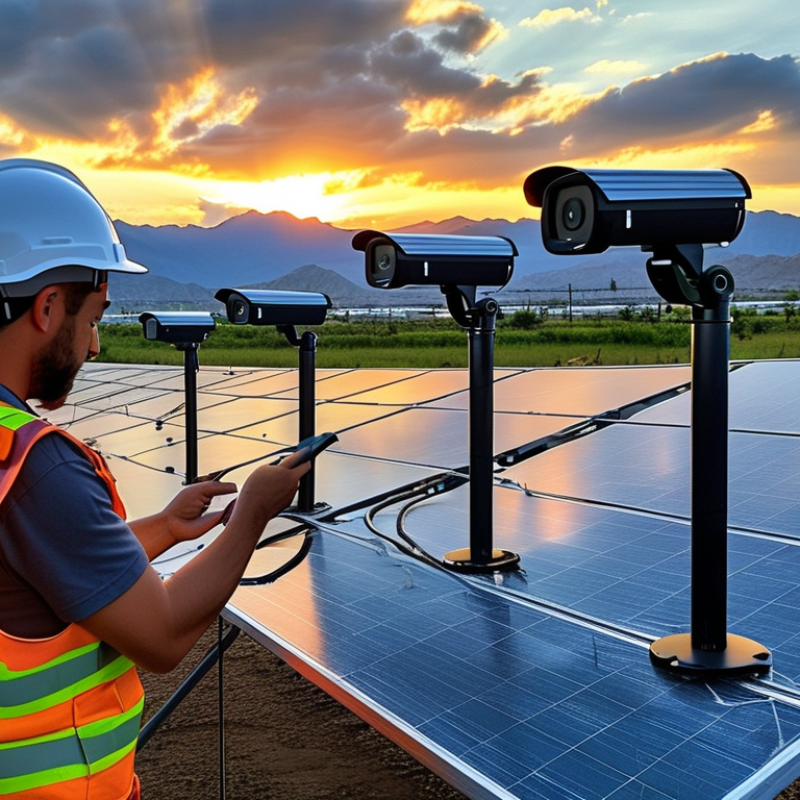
Selecting the optimal location for your PTZ solar camera is crucial for its performance. An ideal spot provides a wide field of view and captures relevant activity. Look for locations that cover driveways, entrances, or large open areas. These places help enhance security and functionality.
When considering placement, avoid areas with excessive shade. Your camera needs ample sunlight for the solar panel. If it's too shaded, battery life will dwindle. You might have to choose less obvious locations. However, ensure it's still accessible for maintenance.
Tips: Test the camera angle during installation. Adjust the PTZ function to find the best viewpoint. Positioning your camera higher can deter tampering. But remember, ensure it doesn't obstruct its view with branches or structures. Always revisit and assess if the camera’s placement remains effective over time.
When installing a PTZ solar camera, understand the solar panel's role in ensuring continuous operation. A reliable solar panel is vital for consistent power supply. Choose a panel that matches the camera's voltage requirements. Typically, a 10W to 20W solar panel suffices for most cameras. However, it’s crucial to assess your local sunlight conditions.
Monitoring shade from trees or buildings is important. Using a solar panel in a shaded area can limit power generation. Placing the panel at an angle can enhance its exposure to the sun. Regularly check for dirt or debris covering the panel. Even a small amount can significantly reduce its effectiveness.
It's easy to overlook these details. Some users may install the system without proper assessments. This can lead to unexpected downtime for the camera. Regular maintenance is key. Ensure that the battery is well-charged, especially during winter months. Adapt your installation practices based on seasonal changes in sunlight.
Configuring the camera settings is crucial for getting the best performance from your PTZ solar camera. Start by adjusting the resolution. Higher resolution captures more details but consumes more bandwidth. If your network is slow, consider lowering the resolution. This simple step can improve image quality significantly.
Another important setting is the motion detection sensitivity. Too sensitive, and you’ll get false alarms. Too low, and real events might be missed. Experiment with the settings to find the right balance for your environment. Each location is unique.
Tips: Regularly check the firmware updates for your camera. Updated software can enhance performance and add new features. Also, ensure the solar panel is clean and unobstructed. This boosts battery life, enabling continuous recording. Finally, consider scheduling recording times to save storage space.
While these adjustments can enhance performance, it’s essential to acknowledge the possibility of interference from trees or buildings. Always assess the surroundings for optimal camera positioning. Adjusting the setup may be necessary as conditions change.
Integrating wireless technology into your PTZ solar camera installation enhances connectivity and overall performance. Wireless technology allows these cameras to transmit data without cumbersome cables. This feature is essential in remote locations, where running network cables can be impractical. According to industry reports, 70% of users report improved installation flexibility with wireless systems.
To maximize performance, consider positioning your solar camera near Wi-Fi access points. Signal strength is crucial; weak signals can lead to interruptions. Studies suggest that cameras operate best when within 100 meters of a reliable network. However, signals can degrade due to obstacles like trees or buildings. Regularly checking the wireless connection can prevent unexpected downtime.
While wireless setups offer convenience, they can present challenges. Users might face interference from other devices, affecting video quality. It’s advisable to upgrade to dual-band routers for more stable connections. Also, not all solar cameras perform equally in varying weather conditions. Make sure to monitor battery performance, especially in high-demand environments. Evaluating these aspects ensures that your solar camera system delivers the reliability you expect.
Regular maintenance practices are vital for the longevity and efficacy of PTZ solar cameras. To begin with, inspect the camera housing regularly. Look for any signs of wear or damage, which might hinder performance. Dust and debris can accumulate on the lens, affecting image clarity. Cleaning the lens with a soft, dry cloth can significantly improve visibility.
Another important aspect of maintenance is ensuring the solar panels are clean. Dirt and grime can block sunlight, reducing the battery's charging efficiency. Regularly wipe the panels, especially after heavy rains or windy conditions, as they could carry dust. Also, monitor battery health and performance. A weak battery can lead to power issues, affecting camera operation.
Lastly, it's crucial to check the camera's software updates. Outdated firmware may compromise security and functionality. Schedule periodic reviews of the camera's settings and features. A proactive approach can save time and ensure the camera continuously performs at its best. Reflecting on these practices can enhance your investment in surveillance technology.
| Maintenance Practice | Frequency | Description | Tools Required |
|---|---|---|---|
| Clean Camera Lens | Monthly | Wipe the lens with a microfiber cloth to remove dust and debris. | Microfiber cloth, lens cleaner |
| Check Solar Panel | Bi-Monthly | Ensure the solar panel is free from obstructions and dirt. | None |
| Update Firmware | Quarterly | Check for and install firmware updates to improve performance. | Computer or mobile device |
| Test Connectivity | Monthly | Verify that the camera is properly connected to the network. | Computer or mobile device |
| Inspect Mounting Equipment | Bi-Annual | Ensure the mounting is secure and not corroded. | Tools for tightening screws |
: Choose spots with a wide field of view, like driveways or entrances.
Excessive shade limits sunlight for the solar panel, affecting battery life.
Test camera angles during installation and adjust for the best viewpoint.
Adjust resolution and motion detection sensitivity to suit your environment.
Regularly check for updates to enhance your camera's performance and features.
Trees, buildings, or even weather can affect visibility and connectivity.
Wireless enhances flexibility, especially in remote areas without cables.
Aim for your camera to be within 100 meters of a reliable network.
Upgrade to dual-band routers to reduce interference and improve stability.
Regularly check the solar panel’s cleanliness and assess battery performance.
In the article "How To Install Ptz Solar Camera For Best Performance," the focus is on optimizing the installation process for efficient surveillance. It begins with guidance on selecting the optimal location, emphasizing the importance of visibility and stability for capturing clearer images. Additionally, understanding the solar panel requirements is crucial for ensuring the camera operates continuously without interruptions.
The article further discusses configuring camera settings to enhance performance, integrating wireless technology for seamless connectivity, and highlights the significance of regular maintenance practices to maximize the longevity and efficacy of the system. By following these steps, users can effectively install a PTZ solar camera that meets their surveillance needs.

Psennikow