Choosing a Poe Ethernet Switch is no longer a simple price comparison. It affects uptime, installation time, and long-term network stability.
This guide examines leading China PoE Ethernet Switch manufacturers and suppliers through practical buying criteria. These include IEEE 802.3af, 802.3at, and 802.3bt support. Port count matters, but power budget matters more. A 24-port switch may support 370 watts, while another delivers only 250 watts. That difference can affect cameras, wireless access points, and access-control devices.
Peter Jones, a longtime Ethernet Alliance leader, has stated, “PoE is about delivering power and data through one network connection.” That principle remains useful. It explains why buyers should inspect both switching performance and power delivery. A reliable supplier should provide clear datasheets, real thermal testing, firmware support, and traceable product certifications. Factory experience also matters. Vendors producing switches for hotels, campuses, warehouses, and surveillance systems usually understand different deployment pressures.
Small details often reveal quality. Check the fan design, surge protection, uplink speed, VLAN functions, and recovery behavior after overload. Ask whether the quoted power budget remains available at high operating temperatures. Some product pages make this unclear.
The market is competitive. Not every polished brochure proves engineering depth. That is an uncomfortable point. Buyers can still misjudge suppliers by focusing on unit price alone. This overview therefore compares manufacturing capability, technical expertise, service reliability, and application experience. It also recognizes that no single Poe Ethernet Switch fits every network. A careful decision starts with actual device loads, cable distances, environmental conditions, and future expansion plans.
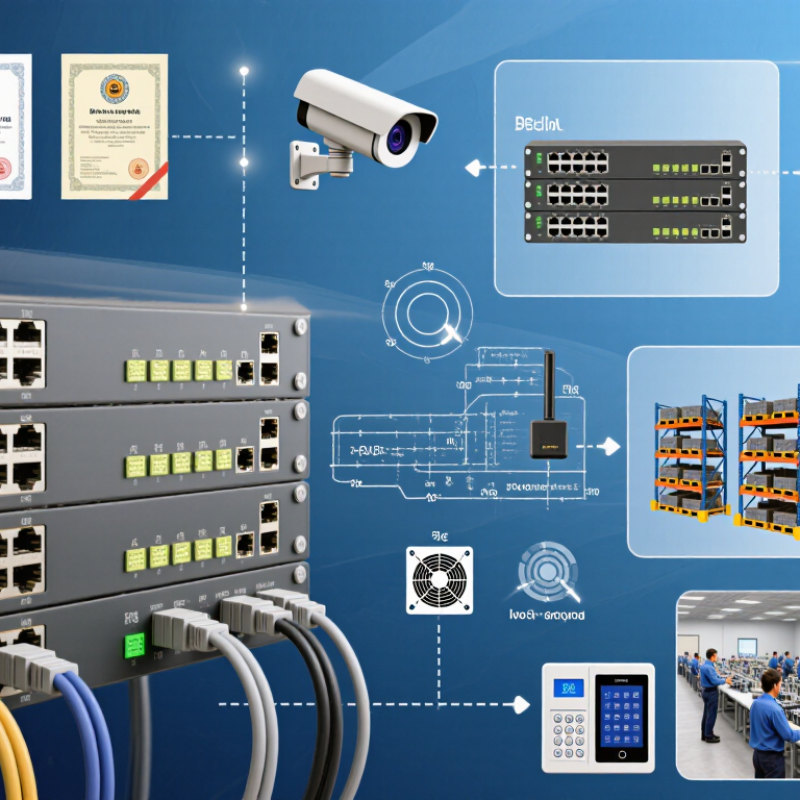
IEEE 802.3af PoE supplies up to 15.4 W per port from the power sourcing equipment. It commonly operates over standard Ethernet cabling at approximately 48 V DC. A powered device receives less power, usually up to 12.95 W, because cable resistance creates energy loss. This difference matters when connecting access points, VoIP phones, cameras, or compact sensors.
In practical installations, check the switch’s total PoE budget, not only its port rating. A 24-port switch may support 15.4 W on each port, yet its shared power supply may not support every port at full load. Measure cable length, ambient temperature, and device startup demand. Poor-quality cables can cause voltage drops and unexpected reboots. I have seen a system work during testing, then fail when several devices activated together. That was a planning mistake, not a mysterious network fault.
Tips: Leave power headroom for startup surges and future devices. Use certified Cat5e or better cabling, and label each powered port. Confirm whether the endpoint follows IEEE 802.3af detection requirements before connecting it. Older passive PoE equipment can behave differently. Keep records of actual consumption; estimates are useful, but they are not proof. Suppliers should provide clear PoE budget data, thermal specifications, port protection details, and test documentation. A product page alone may not reveal how the switch performs inside a warm cabinet.
| Technical Dimension | IEEE 802.3af Type 1 |
IEEE 802.3at Type 2 |
IEEE 802.3bt Type 3 |
IEEE 802.3bt Type 4 |
Supplier Verification Point |
|---|---|---|---|---|---|
| Maximum PSE power per port | 15.4 W | 30 W | 60 W | 90 W | Confirm whether the stated value is PSE output or PD input power. |
| Maximum PD input power | 12.95 W | 25.5 W | 51 W | 71.3 W | Request test data showing power available at the powered device. |
| Power delivery pairs | 2 pairs | 2 pairs | 4 pairs | 4 pairs | Check whether the switch supports two-pair or four-pair PoE operation. |
| Nominal PoE voltage | Approximately 48 V DC | Approximately 50 V DC | Approximately 50 V DC | Approximately 50 V DC | Verify the operating voltage range and power-supply design. |
| Minimum recommended cabling | Category 5e or better | Category 5e or better | Category 5e or better; Category 6 preferred for high power | Category 5e or better; Category 6A preferred for demanding installations | Ask for cable temperature, conductor size, and installation guidance. |
| Maximum standard Ethernet channel | 100 m | 100 m | 100 m | 100 m | Long-distance claims should specify the cable type and link conditions. |
| Common powered devices | IP phones, basic access points, fixed security cameras | Higher-performance access points, pan-tilt-zoom cameras, video phones | Wi-Fi 6 access points, multi-channel cameras, compact displays | High-power wireless devices, advanced PTZ cameras, lighting and digital signage | Match the port class with the actual startup and continuous load. |
| Port speeds commonly available | 10/100 Mbps or Gigabit Ethernet | Gigabit Ethernet is common | Gigabit Ethernet; multigigabit options available | Gigabit and multigigabit options available | PoE standard and data speed are separate specifications. |
| Required supplier documentation | Datasheet, user manual, PoE test report, safety documentation, electromagnetic compatibility information, and power-budget specification | Check that documents identify the exact hardware revision and test conditions. | |||
| Key purchasing criteria | IEEE PoE compatibility, total PoE budget, non-PoE port count, switching capacity, packet-forwarding rate, uplink type, thermal design, surge protection, warranty, and after-sales support | Compare equivalent configurations rather than port count alone. | |||
| Important limitation | The 15.4 W value for IEEE 802.3af describes the maximum power supplied by the PSE port. Cable resistance and power-conversion losses reduce the power available to the powered device, which is specified as up to 12.95 W. | ||||
Common choices include 4, 8, 16, 24, and 48 ports. Buyers can select basic, Gigabit, or higher-speed uplinks. Match the port count to future expansion.
Choose a managed model for VLAN, traffic control, loop prevention, and remote monitoring. An unmanaged model suits simple camera or access-point installations. Keep it simple when possible.
Custom options may include port layouts, housing materials, labels, packaging, and power budgets. Some suppliers also adjust firmware menus and web interfaces. Ask for engineering samples first.
Test boot time, fan noise, heat control, and PoE stability. Run the unit inside a warm cabinet if possible. Desk testing can miss problems.
Request testing records, aging equipment details, component traceability, and production consistency data. An independent factory inspection can reveal gaps. Photos are not enough.
Ask for current safety, environmental, and electromagnetic compatibility documents. Confirm that each document matches the exact switch model. Also request tests for voltage, power budget, heat, and surge protection.
Confirm whether the minimum applies to one model, color, housing, or complete order. Ask about sample fees and packaging charges. I once valued a low minimum too highly.
Separate sampling, production, inspection, and dispatch into different stages. Request written milestones for customized firmware or special uplinks. Short promises can hide delays.
Ask how they handle component shortages, failed aging tests, and replacement units. Request clear limits instead of broad promises. Honest answers matter more than perfect claims.
This guide explains the fundamentals of a Poe Ethernet Switch and how Power over Ethernet technology simplifies network deployment by delivering both data and electrical power through a single cable. It outlines the main IEEE standards, including 802.3af with up to 15.4 W per port, 802.3at with up to 30 W, and 802.3bt, which can provide up to 90 W for higher-power devices. Understanding these levels helps buyers match switch capacity with cameras, access points, phones, and other connected equipment.
The article also reviews leading Chinese manufacturers and suppliers according to product variety, customization, and OEM capabilities. It offers practical advice for evaluating suppliers, including checking certifications, minimum order quantities, production lead times, and quality control procedures. Finally, it highlights key selection metrics such as port density, uplink speed, power budget, reliability, and MTBF, helping businesses choose a suitable solution for stable, scalable, and cost-effective network infrastructure.

 Psennikow